


6 Print Design Mistakes That Affect Color and Quality
Most print design mistakes don’t involve a misspelling, bad composition or copywrite issue. Most often a photo gets enlarged too far. A brand color gets chosen from a laptop screen. Paper becomes a last-minute decision.
Each choice affects the finished piece. Together, they can turn a good design into a disappointing print job.
Your brochure, postcard, or sales sheet needs to reproduce well, communicate clearly, and represent your brand. Here are six mistakes to watch for, along with practical ways to avoid them.
1. Using Your Screen as the Color Standard
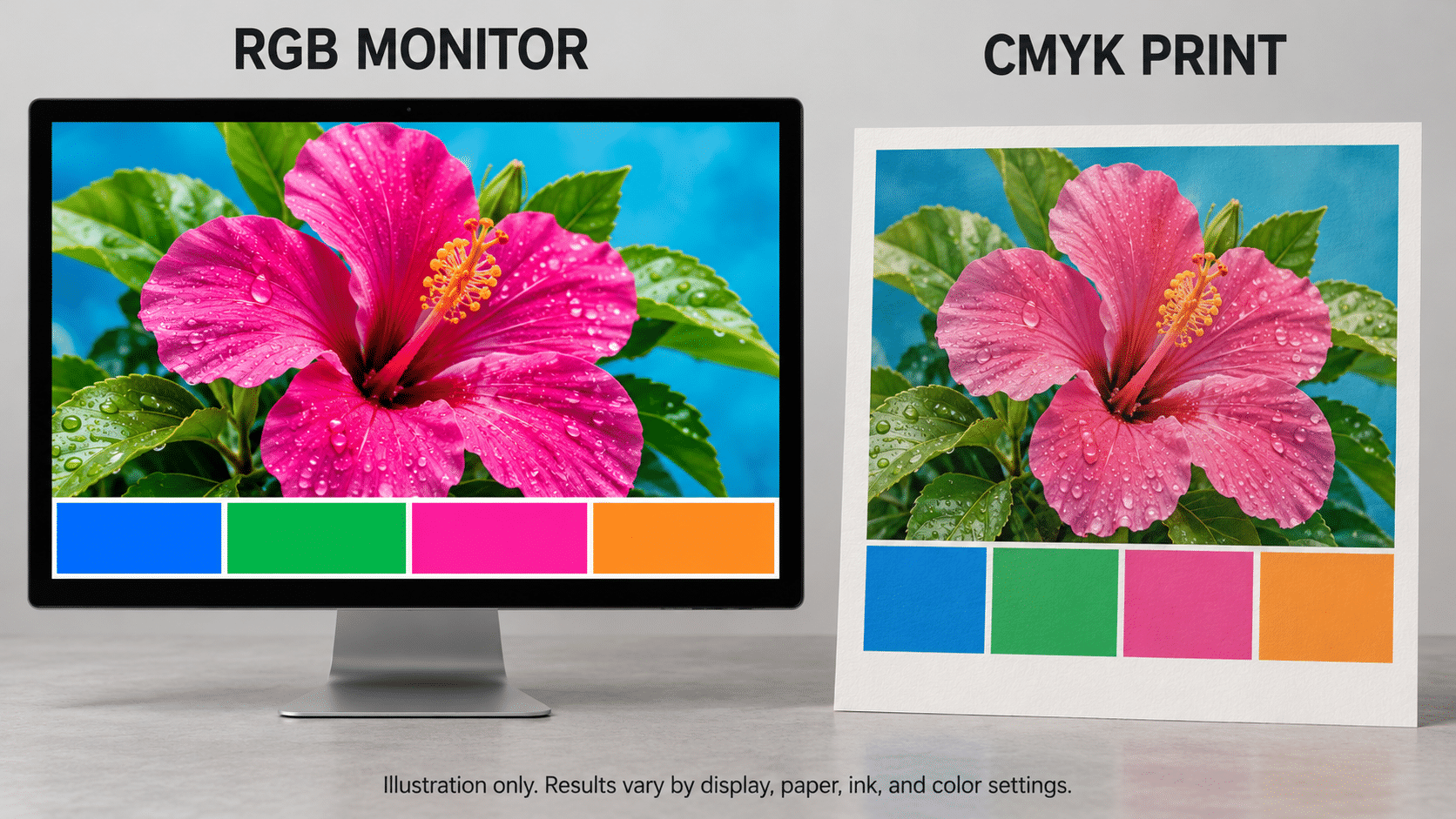
Your monitor produces color with red, green, and blue light, commonly called RGB. Most full-color commercial printing uses cyan, magenta, yellow, and black inks, or CMYK.
Those systems reproduce different ranges of color. Some bright blues, greens, and oranges on your screen fall outside what standard CMYK printing can reproduce. Converting the file can change their appearance.
Monitor brightness adds another variable. A photo that looks bright on a backlit display may print darker than you expected.
What to do: Share your brand standards before production. Include approved CMYK values, Pantone references, or an approved printed sample when available.
Ask about the correct color setup and PDF export settings before converting files. Selecting “CMYK” alone does not account for the press, paper, and color profile.
If a specific color matters to the project, discuss how it will reproduce and how you should approve it.
2. Choosing Paper After Finishing the Design
Paper affects how your colors and photographs look. It does more than determine the weight and feel of a brochure.
A smooth coated sheet generally holds ink near the surface, helping retain image detail and color intensity. An uncoated sheet produces a different appearance. Paper shade matters, too, because the paper itself becomes part of the image.
That means the same artwork can look different on two stocks, even when the file has not changed.
What to do: Choose your paper while you develop the design.
For a product brochure with detailed photography, ask to see printed samples on suitable stocks. For a piece customers need to write on, discuss the surface and any coating before placing the order.
If you are matching an existing piece, provide a physical sample. Your printer can evaluate the paper and color together.
You can explore GSG’s digital and offset printing services to discuss the right production approach for your project.
3. Making Important Information Hard to Read
A color combination can look good and still make your message difficult to read.
Pale gray copy on white paper, thin lettering over a photograph, or small white type on a dark background can all create problems. Fine details in reversed type can also become harder to reproduce cleanly.
The reader should not have to work to find your offer, phone number, or next step.
What to do: Print a sample at the finished size and review it at a normal reading distance. Use that sample to judge size and readability, rather than final production color.
Check these points:
- Can you read the body copy without leaning closer?
- Does text remain clear over photographs?
- Can you find the offer and contact information quickly?
- Will the intended audience find the type comfortable to read?
For signs and displays, step back to the distance where people will actually see them. A layout that works in your hands may fail across a room.
4. Giving Every Element Equal Attention
When the headline, background, photos, offer, and contact information all demand attention, the reader has no clear starting point.
Adding another bright color rarely solves that problem.
Think about a promotional postcard. It needs a clear offer, enough supporting information to make the offer relevant, and an obvious action. Several competing messages can weaken all three.
What to do: Decide what the reader should notice first, second, and third.
Use your brand colors consistently. Reserve an accent color for something that needs attention, such as an offer or response instruction. Give text and images enough open space to remain separate.
Try this check: Show someone the piece for a few seconds, then ask what they remember and what they should do next.
Their answer will tell you where the design needs work.
5. Using Images That Cannot Support the Printed Size
A photo can look sharp in a small website panel and fall apart when it fills a brochure cover.
What matters is the image’s resolution at its final printed size. For brochures, flyers, and other pieces viewed up close, approximately 300 pixels per inch is a useful target.
For example, a photograph measuring 1,200 pixels wide provides:
- 300 PPI at 4 inches wide
- 150 PPI at 8 inches wide
- 100 PPI at 12 inches wide
The photo contains the same pixels in every case. Enlarging it spreads those pixels across a larger area.
What to do: Start with original photography and vector logos whenever possible. Vector artwork lets logos and line graphics scale without becoming pixelated.
Changing a resolution setting to “300 dpi” in Photoshop does not restore missing detail. Saving a small image inside a PDF does not improve it, either.
Large-format graphics have different requirements because viewing distance matters. Our print resolution guide explains how to evaluate images for different applications.
6. Approving a Proof Without Knowing What It Shows
A PDF proof is useful for checking copy, placement, page order, and missing elements. On an ordinary monitor, it should not serve as your final color standard.
A physical proof can help evaluate color, but ask what it represents. A proof produced on a separate device or different paper may not reproduce every characteristic of the finished piece.
What to do: Match the proofing method to the project.
If brand color, product photography, or skin tones need close attention, discuss the appropriate color proof before scheduling production.
Then review the final proof carefully. Confirm names, pricing, dates, phone numbers, website addresses, and QR code destinations. Check folds and trim positions as well.
Our prepress guidelines cover file preparation. You can also review what happens after you send files to print to understand the production and approval steps.
Your Checklist Before Sending Artwork to Print
Before submitting your next project, confirm:
- Your sales rep knows which colors need close attention.
- You have selected the paper and finish.
- Text remains readable at the finished size and viewing distance.
- The layout gives readers a clear starting point and next step.
- Images have enough resolution at their final size.
- Your file includes the required bleed and safe margins.
- You understand what the proof represents.
- You have checked the final content, links, and QR codes.
Good printing starts with decisions made before production.
At Graphic Solutions Group in Kennesaw, we help businesses across Metro Atlanta and beyond plan and produce their printed materials. If you have questions about color, paper, or artwork, talk with our team about your project or call 770.424.2300.
Bring us into the conversation while you still have time to make changes.
Start here:
👉 https://www.gsghome.com
Contact Us for More Information
Are you looking for a printer who can help you meet your deadlines?
Then your in the right place! Have any questions or concerns we would love to hear from you.
Please submit your information in this form and a sales professional will reach out to you.
Want to Speak to a Sales Representative? Call 770-424-2300